Sponsorship

We are now Recruiting Sponsors for 2027

Don't hesitate to contact us if you would like to be considered as one of our sponsors in 2027


Our challenges run from Thursday 8 am GMT until Wednesday 6 pm GMT.

Showing posts with label Challenge 87. Show all posts

Thursday, 27 January 2011

CRAFT Challenge 87, Trifold Card with Tag Insert (tutorial on our blog).

Morning all,

Today we have a rather exciting challenge for you. For this challenge your brief is to make a Trifold Card with Tag Insert. Please scroll down to find the tutorial Annette did for us. You can also download the pdf version of this tutorial by Annette here.
It is a fabulous and easy to follow tutorial and you can also find it easily for future reference on its own page here on our blog (if you go to the top of our blog you'll find more pagelinks to find tutorials we have done for you before).

Of course you would like to know who our winners were last week as well as the last Top3 for January, you can find that in our winner's post later, Jacky is a little delayed due to other responsibilities, but it will soon arrive. We will be announcing our first 'Star of the Month' on Saturday, who will win a $10 voucher to use at the Digi Doodle Shop this month.


So, now down to business. Our sponsor for this week will be a new sponsor to CRAFT Challenge, Aifactory. They are offering 2 images of the winner's choice from their store. We have also been able to play with some of the images for this challenge.

Here are the creations from our Guest Designers:


And here are the creations by our DT:
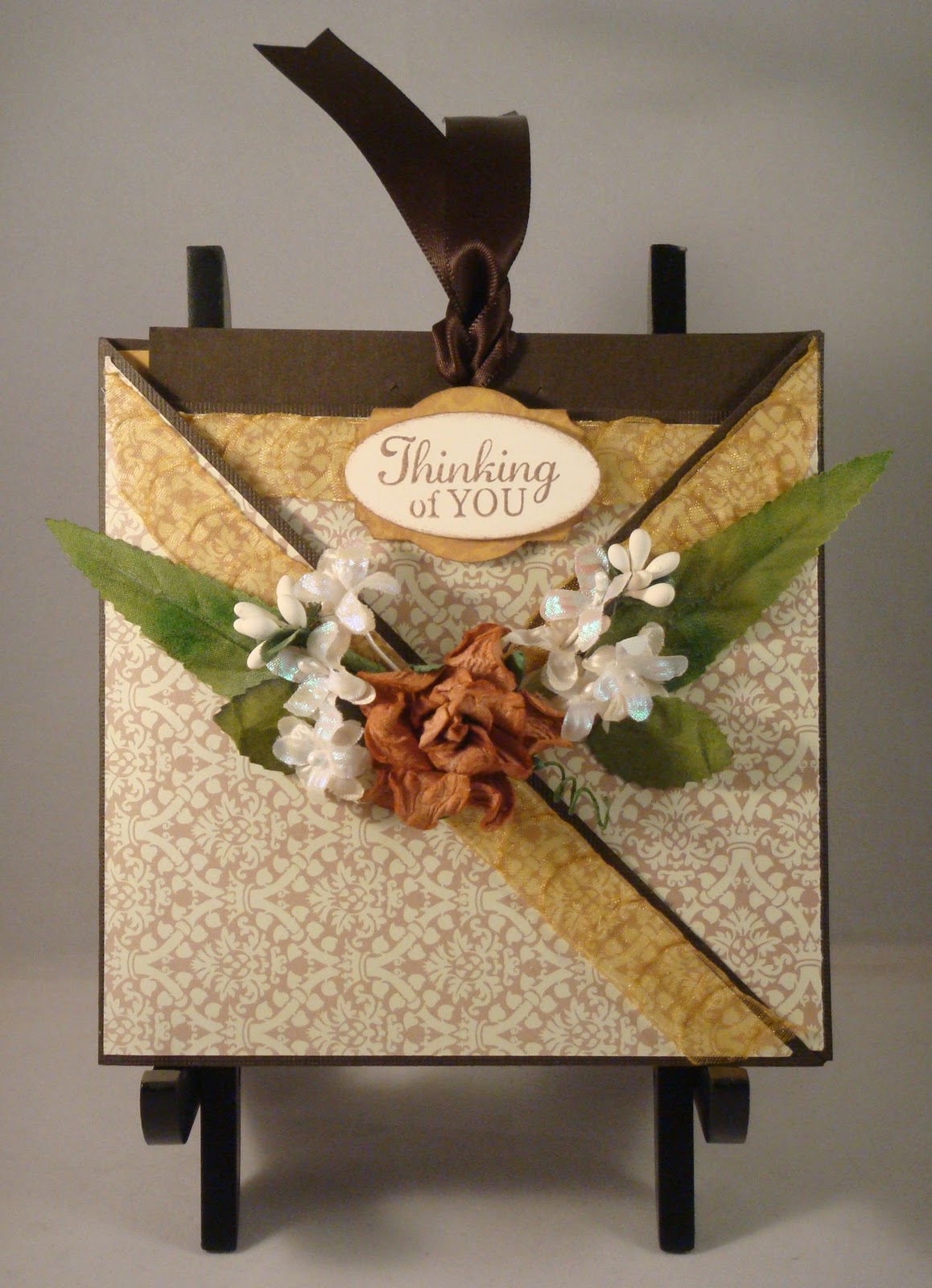


Jo - (me)


So, now it's up to you and do check back with us on Saturday to see who has made our First 'Star of the Month'!

Happy Crafting!

Jo and the CRAFT Team.

Annette's tutorial for a Tri Fold Card with Tag Insert for challenge 87.

Thank you so much to Annette for allowing us to share this tutorial with you. You can also find it here if you would like to print it out or download it in pdf format.

 
TRI-FOLD CARD with TAG INSERT


Instructions and Template written by Annette Dayot
Studio A Paper Creations


READ ALL DIRECTIONS BEFORE BEGINNING!

PAPER SUPPLY
Cardstock pieces for Card Base:


(1) Piece: 10½” x 5” – Score at 5” and 10”


(1) Piece: 5” x 5” (for flap)


Cardstock piece for Tag Insert: 9” x 5” – Score at 4¼”


Patterned paper for layering: (2) pieces 4” x 4¼
 
TOOLS


Adhesive Tape Glue


Ruler Photo Corner Punch


⅛” Circle Punch (or Hole Puncher)


Score Board Tool

TRI-FOLD CARD with TAG INSERT  
Cut and Score CARD BASE and
CARD FLAP pieces as shown in Figure 1


Assemble the CARD BASE by attaching the Card Flap piece to the Card Base piece as shown in Figure 2. Apply adhesive to the ½” flap


This is how your card should look like so far.


Open assembled card base and make diagonal cuts as shown in RED in Figure 3.
• If you would like to decorate or add a 
patterned paper to line the inside of the tri-fold card, do so now.

 
• In my sample I added a piece of patterned
paper, size: 4¾” x 4¾”
• Apply adhesive along the bottom of the center panel as shown.  
 

• Fold the right flap over as pictured.


• To decorate the outer panels, cut a contrasting 4¾” x 4¾” piece of patterned paper, and then cut in half diagonally.

 
• Your assembled TRI-FOLD should look like this. 


  Cut and Score piece for the TAG INSERT as shown in Figure 2.
• Cut cardstock for TAG INSERT to measure 5” x 9”
• Score at 4¼”, then fold


Prepare the TAG INSERT as shown in Figure 3
On the right hand side of the card:
• Measure 2½” down from the upper right corner; make a small mark with a pencil.
• Punch a hole where you made the pencil mark.


• Create a tab just below the hole using a photo corner punch.


TIP:
I used a photo corner punch to make the “tab”.
To do this I removed the plastic guide from my photo corner punch.


• Cut (3) pieces of 4” x 4¼” patterned paper.
• Adhere one square on the front panel of the
TAG INSERT.
• Adhere one square on each panel on the inside
the TAG INSERT.

• Here is the base for the TRI-FOLD CARD and the TAG INSERT. From here you can add your image(s) and/or sentiments & embellishments as desired.
Finished TRI-FOLD CARD & TAB INSERT